January 29, 201214 yr Author So I had this donor legacy and so I decided to swap some parts over. The ECU did the trick, purs like a kitten now. But I have no head lights now and when I turn on the head lights with the car off key out, I hear the fuel pump turn on... Sweet! So whenever I have time to I have been trying to cut open the wiring to see where they're fused.
February 8, 201214 yr i found that there is 3 power supply wires a heavy yellow constant power a small yellow gos to fuse box for ignition power and the ecu power suppy small yellow wire comes out close to ecu we where having a problem with only powering half the circut it looks like theese wires go to same circut but they do not the wire going to fuse box has a oneway diode in it we just whent thrugh this problem i run that harness alot for some reson we have problems puting ej convertions into usa cars they have extra stuff like eletiric seat belts and power windows that like to backfeed the ecu if it dosent start instantly or the tach dosent respond power suply is wrong tach is an indacator of proper ignition function
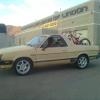
September 5, 201213 yr Author Soooo I feel like a complete idiot. So I charged the battery that never gets used, or charged and now I have head lights! Drove it to my new place to store some more. Edited September 5, 201213 yr by martimus919

Please sign in to comment
You will be able to leave a comment after signing in
Sign In Now