Skip to content
View in the app

A better way to browse. Learn more.

Ultimate Subaru Message Board

A full-screen app on your home screen with push notifications, badges and more.

To install this app on iOS and iPadOS
  1. Tap the Share icon in Safari
  2. Scroll the menu and tap Add to Home Screen.
  3. Tap Add in the top-right corner.
To install this app on Android
  1. Tap the 3-dot menu (⋮) in the top-right corner of the browser.
  2. Tap Add to Home screen or Install app.
  3. Confirm by tapping Install.

A Couple of simple EA81 repairs w/ pics
Featured Replies

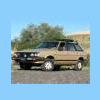
I figured these might help. Im a guy that thrives on photos, I figure many of the members here might too. So I take LOTS of photos.


A couple of photo guides....


Oil pan and pump reseal

http://www.bonnefinstudios.com/kwb/automotive/pan.htm

RUpan04.jpg


Distributor replacement

http://www.bonnefinstudios.com/kwb/automotive/dizzy.htm

RUdiz05.jpg


These pages are linked to my GL's home page.


here...


http://www.bonnefinstudios.com/kwb/automotive/subaru.htm

RU01.jpg


More to come as I go through this rig with a fine toothed comb.

Account

Navigation

Search

Search

Configure browser push notifications

Chrome (Android)
  1. Tap the lock icon next to the address bar.
  2. Tap Permissions → Notifications.
  3. Adjust your preference.
Chrome (Desktop)
  1. Click the padlock icon in the address bar.
  2. Select Site settings.
  3. Find Notifications and adjust your preference.