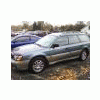
December 24, 201015 yr Hello everyone from Central Pennsylvania. I currently drive a 2000 Outback Wagon with 146,000 miles on it. I've owned 5 previous Suby's: '89 GL10 Wagon, '89 GL10 Sedan, '91 Legacy Wagon, '92 Loyale Wagon and a '95 Impreza Wagon. My greatest Subaru story is pulling a Ford F-350 with a snow plow out of a snow bank he got stuck in with my first Suby, the '89 GL10 wagon with the 5 spd. gearbox and two speed 4wd system. I miss that set up. Wish they'd bring it back.
December 24, 201015 yr Welcome. Lots of good folks and info around here. Chances are you'll meet some of them it seems. A friendly, helpful bunch. Please update Watsontown to also say like "north central PA" or whatever applies. This way you increase your odds of meeting folks, folks possibly lending a hand, etc.
December 25, 201015 yr Author Watsontown!!! You're only about 20 miles from me. Im down outside Danville. Well Hello neighbor.

Please sign in to comment
You will be able to leave a comment after signing in
Sign In Now