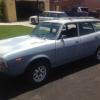
January 30, 201115 yr I have a strange problem. I have been working on a 77 ea71 and had it running. Started working on headlights as they were not working. Began with fuses, they were fine. Looked at wiring at light switch but was unable to find problem. Anyway when I tried to start engine to move the car it wont stay running. After messing with it for a while I noticed that it runs but as soon as the key went to the run setting it would die. I restart it and it runs but will only stays running if i keep the key to the right of the run setting but not quite to the start setting. Its a strange issues....any ideas???
January 30, 201115 yr A couple probabilities come to mind, the first being a bad ignition switch. It is very common to have contact issues in the ignition switch. The other possibility is either a bad ignition ballast resistor or the ignition wiring running to the "run" side of the resistor (as opposed to the coil-side that bypasses the resistor). (This is a bit of speculation, as I can't remember for sure if the EA71 uses a separate ballast resistor.)
January 30, 201115 yr +1 on the switch. Take a look at the back. They sometimes work loose from the lock cylinder. Mark
February 13, 201214 yr Author BTW it was a loose fuse believe it or not. Just had to squeeze the metal ends and that took care of the problem...pete

Please sign in to comment
You will be able to leave a comment after signing in
Sign In Now