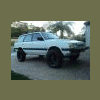
April 13, 201114 yr Wow, nice wagon!! Love it out there in Carlsbad; spent many nights sleeping in my Brat alongside the beach! Where exactly will you be heading for your desert trip? Nothing more "desert" than out this way! I don't have a cool 4WD wagon like that, but I DO have a cool 2WD XT
April 13, 201114 yr Author Wow, nice wagon!! Love it out there in Carlsbad; spent many nights sleeping in my Brat alongside the beach! Where exactly will you be heading for your desert trip? Nothing more "desert" than out this way! I don't have a cool 4WD wagon like that, but I DO have a cool 2WD XT thanks buddy, yeah, its nice to be close to the surf:) We will be goin to Ocotillo Wells to camp n shoot our guns. Im a rookie w/ this off-road stuff but cant wait to bring the wagon out there. Prolly gonna wait til i get some new wheels before doin any serious off road. I wanna make sure i have correct set up

Please sign in to comment
You will be able to leave a comment after signing in
Sign In Now