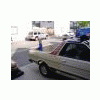
July 3, 201114 yr hey all, i thought it was about time to join this site after a lot of lurking. i have an 82 brat that has been home to several spiders for the last 6 years. it is time i got serious about getting it back on the road. i will be leaving california for the midwest this time next year and felt i should start gathering parts before i leave. i would like to use this site to sell some extra parts that came with the car, and use the expert advise that is overflowing from this forum. see ya around neil
July 4, 201114 yr Welcome and I like your board name feelinminnesota... HUMMM.... any relation to the Soundgarden song "Outshined"?
July 5, 201114 yr Author Welcome and I like your board name feelinminnesota... HUMMM.... any relation to the Soundgarden song "Outshined"? you guessed it biff. on a minnesota fishing site, i am known as lookincalifornia. nice brat.
July 5, 201114 yr you guessed it biff. on a minnesota fishing site, i am known as lookincalifornia.nice brat. Very cool... I heard Soundgarden are in the process of a new cd.. caint wait!!!

Please sign in to comment
You will be able to leave a comment after signing in
Sign In Now