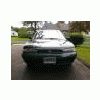
July 15, 201114 yr hey whats up! names jarrid. i live in ct and i own a 95 subaru legacy wagon. ive got alot of experience in automotive but these subarus are different for sure! well take it easy everyone!
July 15, 201114 yr welcome aboard, you'll come right along in figuring it out. they're really easy - alternator, a/c compressor, power steering all take a matter of minutes to replace. timing belts are rather easy...etc, so just plug along and you'll come to like the car. 95 is a good year - don't run it hot or out of oil and they can last as long as you care to maintain them. which around here means rust kills them first.
July 17, 201114 yr Author thanks! yea i love my sooby! first one ive owned n got it for a steal! got it with 98k in almost mint condition for $1000! its @ 110k now....no major problems except idle air control valve and duty c! ive been readn these forums for awhile and just decided to join cuz i wanna be apart of this site thanks for the tip btw lol -jarrid-
Please sign in to comment
You will be able to leave a comment after signing in
Sign In Now