Skip to content
View in the app

A better way to browse. Learn more.

Ultimate Subaru Message Board

A full-screen app on your home screen with push notifications, badges and more.

To install this app on iOS and iPadOS
  1. Tap the Share icon in Safari
  2. Scroll the menu and tap Add to Home Screen.
  3. Tap Add in the top-right corner.
To install this app on Android
  1. Tap the 3-dot menu (⋮) in the top-right corner of the browser.
  2. Tap Add to Home screen or Install app.
  3. Confirm by tapping Install.

Ned :)

Featured Replies

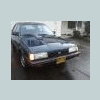
I found out a couple weeks ago, that although I didnt know it... Ned is a very popular Subaru... I saw that my video was on another forum, and thought, "thats odd, I didnt do that" so I clicked on it, and sure enough, he was on another forum... So I became a member and made the East coast jealous of my rust free Ned, but when I asked the guy where he looked it up, he said it was actually a chain of forums. He got it from an XT6 forum where someone had said they pulled it from another forum (he couldnt recall which)


So I decided, well now I might as well put him on my home forum (at least where I consider home to be :banana: )


Skip to ":20" to not have to listen to my god awful voice, stupid video cameras...

Please sign in to comment

You will be able to leave a comment after signing in

Sign In Now

Account

Navigation

Search

Search

Configure browser push notifications

Chrome (Android)
  1. Tap the lock icon next to the address bar.
  2. Tap Permissions → Notifications.
  3. Adjust your preference.
Chrome (Desktop)
  1. Click the padlock icon in the address bar.
  2. Select Site settings.
  3. Find Notifications and adjust your preference.