October 12, 201114 yr Hi, I'm new here, and somewhat new to Subarus. As my name suggests, I have a 99 OBS 2.2 5spd. I got it like 4-5 months ago, within the first 2 weeks it tossed the mainshaft nut (popped out of 5th all the time and wouldn't wanna go back in) and ground up a fair amount of stuff in the tranny. I pulled the transfer case portion off the back and replaced what I could get at, put in a new 5th synchro, hub and slider, and whatever the 3 little clips are called that go in there, and some plastic piece that fit in the end of the mainshaft, and the mainshaft nut, staked it and loctited it... Its working fine since, a little hesitant to go in 1st or reverse a lot of times but 5th is smooth as butter now lol. I like to go to a lot of mountain bike events here in Northern Cali, particularly DH races, and the roads are pretty hectic so some offroad mods are gonna be in order soon. I'll post elsewhere on that.
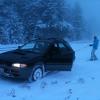
October 12, 201114 yr Hey Welcome to USMB. It will be your new addiction. Neat little Subaru you have Got some pictures of your adventures with it? Check out the New Generation forum for some more insight on your transmission problem... Might want to pull the whole transmission and replace what you can before you lose First/Reverse entirely. Best of luck!

Please sign in to comment
You will be able to leave a comment after signing in
Sign In Now