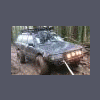
April 17, 201213 yr Hey guys Because being a full time student and having two jobs isnt enough, i decided to lift my daily driver, while at the same time, replacing my blown transmission. Progress so far: Got the front half done except for the strut towers and bracing, need to cut out the middle bits, the boss let me use the plasma cam to make the end pieces. Things are moving along nicely.
April 17, 201213 yr Author I just need to get the engine re-timed and fix my shift linkage and then the motor should be able to go back in!
April 19, 201213 yr If you're doing much (if any) wheeling or hard driving, you probably want to weld braces between the blocks of the "anti-lift" (Tranverse links) I think there have been a few instances of them folding under stress in your current state. Looks cool! Don't see many EJ series lifted cars. Looking forward to the progress. Keep it coming.
April 19, 201213 yr Author Got the engine back in today! still need to install the strut towers and steering link and then i can start on the back end!
April 19, 201213 yr Author If you're doing much (if any) wheeling or hard driving, you probably want to weld braces between the blocks of the "anti-lift" (Tranverse links) Very aware, it has bit me on previous builds. When i get more time and money, i will reinforce it.

Please sign in to comment
You will be able to leave a comment after signing in
Sign In Now