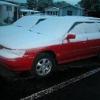
August 4, 201213 yr My 92 Legacy wagon needs new rear breaks. Unfortunately I didn't notice till the pads were gone and the rotors are quite shiny. While I was at a junk yard a few days ago, there was a 96 outback wagon with near new rear brakes. Question is, could I switch them out the rotors, calipers and pads, I just put 15 inch outback rims on the 92 Legacy. Will they just bolt in place.
August 4, 201213 yr yes. check the brackets and pins, sometimes you can even just swap the caliper onto your existing bracket. subaru made countless brake changes so it's hard to keep track. jamal has a great brake thread in the USRM tha twould detail the differences, if any.
August 4, 201213 yr Author Thanks for the info, I did some searching and found Jamal's write up, I think it should be a sticky, but I did bookmark it.
August 4, 201213 yr good, glad you found it. i wasn't on a good internet connection so i wasn't about to go digging for it. it's a great resource. i think the USRM forum area is almost like a compilation of stickys - the important mechanical information and write ups are in there. bookmark the USRM too. sticky's would get cumbersome...brakes, wheels, lifts, swaps, engines, trans, headgaskets...there's just countless things that could be stickied. each person would have a different list of 5 things that should be stickys.
Please sign in to comment
You will be able to leave a comment after signing in
Sign In Now