Skip to content
View in the app

A better way to browse. Learn more.

Ultimate Subaru Message Board

A full-screen app on your home screen with push notifications, badges and more.

To install this app on iOS and iPadOS
  1. Tap the Share icon in Safari
  2. Scroll the menu and tap Add to Home Screen.
  3. Tap Add in the top-right corner.
To install this app on Android
  1. Tap the 3-dot menu (⋮) in the top-right corner of the browser.
  2. Tap Add to Home screen or Install app.
  3. Confirm by tapping Install.

my hidden 89 GL

Featured Replies

bought an 89 gl as a 4x4 project not knowing a thing about Subaru. car didn't run and was in need of work. well i paid 400 for it so its a given.

picture.php?albumid=115&pictureid=707


got her running (just needed to be timed) and some body work.

picture.php?albumid=116&pictureid=712


4" sjr lift, drilled hubs to 6 lug, roof rack, lights and started the camo.

picture.php?albumid=117&pictureid=718


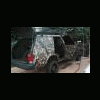
camoed the outside and inside.

picture.php?albumid=118&pictureid=725

picture.php?albumid=118&pictureid=735


now for things to do.

engine swap 2.2

front bumper w/ winch

bigger tires

skid plates

rear tent

and possibly rear disk breaks if i can ever find the parts.


this car fit me like a glove from day 1, im kicking myself for never thinking about Subaru before, they are mean little bundles of fun and i will never regret buying this car and maybe another in the future.

Please sign in to comment

You will be able to leave a comment after signing in

Sign In Now

Account

Navigation

Search

Search

Configure browser push notifications

Chrome (Android)
  1. Tap the lock icon next to the address bar.
  2. Tap Permissions → Notifications.
  3. Adjust your preference.
Chrome (Desktop)
  1. Click the padlock icon in the address bar.
  2. Select Site settings.
  3. Find Notifications and adjust your preference.