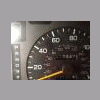
August 16, 201213 yr So this is my Subaru. Or as I like to call her, my urabuS! You might be interested that she has 279,000 miles. That means she could have gone around the world 11 or 12 times A friend of our family gave her to us, and she is allegedly on her 3rd transmission and 2nd engine (although I'm not so sure from what I've heard about the ej22) Since I got her I have done the following new muffler check engine light was on (purge solenoid) broken steering linkage fixed new tires tune up (filters, spark plugs, etc) new head unit and 12" sub/amp Black paint was peeling above doors, stripped it back to plastic looking chrome painted windshield wipers (they were rusty) removed some disgusting tint that was bubbly and torn replaced a broken speaker cover and some trim pieces (lots of Subi's with 200,000+ miles @ the junkyard...easy to find what you need for cheap!) New ground to battery - terminal (wasn't starting every time...had the starter and battery checked, took me a while to notice the simplest possible problem) New timing idler pulley (that's a story for another day...) Leaking O ring-rack and pinion...poured some Lucas stop leak in, mostly stopped it... Probably done some other stuff too, but it's a lot prettier than it was! Oh yeah, and I'm a college student...so this wagon is great for car tetris

Please sign in to comment
You will be able to leave a comment after signing in
Sign In Now