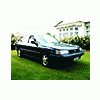
August 18, 201213 yr Hi guys, this problem may not be something you guys have in the states, but hopefully someone might know. I've recently acquired a 1989 Subaru Legacy GT wagon (EJ20 turbo, 4EAT) for the girlfriend, and it has this crazy door lock that I used to have on my old 89' VZ (EJ20) JDM Legacy. Anyways, it goes like this; its a four code door unlock sequence, that is, you pull the door so many times, hear a beep, pull the door so many times, hear a beep....you do this four times (each number of door pulls represents a number, eg. four door pulls equals four) and if you get the code right, it'll unlock the doors. So say your code is 4-2-1-2, you pull the door handle four times, beep, two times, beep, one time, beep, two times, beep beep beep and the doors unlock. Basically a keyless entry system before remotes came along. Very handy if you lock your keys in your car. Anyways, there is a way to program this, as I got it programmed from a guy who used to own a Subaru workshop in a town about 200mi away (my old code was the one above). I can't find the guys number or get a hold of him, so does anyone on here know how to reprogram it? I remember something about having the ignition on and doing the pulls in a certain way, but its a bit hazy. Sorry about the wall of text, if anyone could help it'd be awesome!
August 18, 201213 yr Author Sorry guys, my searching found how to do it right after I posted heres a link to the site with some info - Mods feel free to delete this post, might be some interesting info for you stateside guys?

Please sign in to comment
You will be able to leave a comment after signing in
Sign In Now