July 20, 201312 yr Hey there! I've been lurking a lil while now and collecting some valued info! Also thought I should mention, I'm in Oakland, CA Current Here's my new wheels, which I am looking to put on soon with some aggressive 215/65R16s
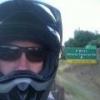
July 20, 201312 yr Author Who am I: I am just a guy in his late 30's who likes toys and hotrodding whatever I have. I'm more into motorcycles than anything else, but cars are fun too! I've been a rally fan as long as I can remember as well as road racing. I started working on cars around the age of 6, with my Dad in his shop and garage. He always had cool small cars being built up for racing in the garage. He worked a number of pit crews back in the 70s, so I grew up with Bugeye Sprites, Midgets, Mini Coopers, Datsun 510s and such! I ride motorcycles more than I drive and do quite a few 3day to 2 week rides, while camping! I ride out to Death Valley and spent 4-5 days riding the dirt roads out there, every other year! I'm an Electrician and I've been a member of the IBEW for 13 years! I'm looking forward to taking my dog along on some of my camping/offroading adventures! The car: As I said, I enjoy hotrodding things. I don't plan on rallying the car or even racing it. But I do plan on improving it a bit for offroad fun and just more enjoyable trips and such. It is slowly taking on more of a Rally inspired look. Here's a pic of the bike:

Please sign in to comment
You will be able to leave a comment after signing in
Sign In Now