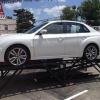
August 3, 201312 yr I drove a mustang cobra for 13 years and now I switched over to an ST so I came on here because I will be needing to learn alot about subarus
August 4, 201312 yr Since youre new to the Subaru scene and jumped in on a turbo... there are some things youll wanna know ASAP. Always premium fuel -- lower octane fuels can cause the car to run bad as well as motor damage Fully synthetic oil changes -- Subaru says you can go 7500 on them, my GFs 2013 WRX gets the oil changed at 5K intervals with Mobil1 for now. TUNES -- Pretty much 95% of mods to this car will need a tune, get yourself acquainted with your local tuner shops, youll need an accessport for many of them. The car is pretty "fragile" in a sense, that unlike a N/A motor, youll need to really take care of it to allow it to take a beating. Most mods will void your warranty if you still have one, so keep stock parts and always have a stock map on your accessport. Also, make sure you warm it up properly before driving it hard... exposing as much heat that the turbo gives out to a cold aluminum engine is asking for trouble. As was stated in your other thread, the R180 and 6 speed can handle the power better than a WRX transmission, so youll be okay for most mods. Next year my 2007 WRX will be sitting at 350-400AWHP but to take it reliably, Ill probably have a STi longblock in there, with 6 speed and R180 and be running E85 fuel. Also, you can create an account on NASIOC as many Impreza owners are on there with more insight on mods, precautions and all that jazz Edited August 4, 201312 yr by 92_rugby_subie
August 4, 201312 yr Welcome to the Subaru community! 92_rugby_subie thanks for the info I learned something new today!

Please sign in to comment
You will be able to leave a comment after signing in
Sign In Now