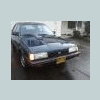
August 21, 201312 yr I figured I could get the most responses here since the WCSS forum is in here... I need to get some "bigger" items to a member in Calgary Canada... They are just rear door panel pieces, not a huge heavy load or anything, but was hoping someone coming to WCSS and returning back to Canada would be willing to take these pieces back... I would bring them to WCSS and give them to the transporter and then the transporter and the other member could discuss meeting up, obviously amount paid and payment would be established before WCSS... Please PM me if you have further questions or think you can do it. Items will fit in an EA82 sedan so any subie should work! Greatly appreciated!
August 22, 201312 yr Author Forgot also need a trunk of an XT6 going as well so a Loyale/GL/Legacy/Forester is preferred...

Please sign in to comment
You will be able to leave a comment after signing in
Sign In Now