Skip to content
View in the app

A better way to browse. Learn more.

Ultimate Subaru Message Board

A full-screen app on your home screen with push notifications, badges and more.

To install this app on iOS and iPadOS
  1. Tap the Share icon in Safari
  2. Scroll the menu and tap Add to Home Screen.
  3. Tap Add in the top-right corner.
To install this app on Android
  1. Tap the 3-dot menu (⋮) in the top-right corner of the browser.
  2. Tap Add to Home screen or Install app.
  3. Confirm by tapping Install.

New Member, first time Subi owner

Featured Replies

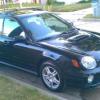
Hey all, just bought my first Subaru! Its a 2002 Impreza WRX wagon, bought with 76000 miles on it. This is my first car with a turbo and my first used car in quite a few years, but I am hoping to be able to take care of much more maintenance than when I was younger. 

Welcome! You find the right place for subaru maintenance. There are some local groups on facebook. See you there! Do you have any service history with this car?

  • Author

Not sure what I have in my possession, there are a bunch of papers to go through, but it is a one owner car and it was an older woman. Carfax showed LOTS of regular scheduled maintenance, hopefully it will just be a matter of determining where it was left off.

Please sign in to comment

You will be able to leave a comment after signing in

Sign In Now

Account

Navigation

Search

Search

Configure browser push notifications

Chrome (Android)
  1. Tap the lock icon next to the address bar.
  2. Tap Permissions → Notifications.
  3. Adjust your preference.
Chrome (Desktop)
  1. Click the padlock icon in the address bar.
  2. Select Site settings.
  3. Find Notifications and adjust your preference.