Skip to content
View in the app

A better way to browse. Learn more.

Ultimate Subaru Message Board

A full-screen app on your home screen with push notifications, badges and more.

To install this app on iOS and iPadOS
  1. Tap the Share icon in Safari
  2. Scroll the menu and tap Add to Home Screen.
  3. Tap Add in the top-right corner.
To install this app on Android
  1. Tap the 3-dot menu (⋮) in the top-right corner of the browser.
  2. Tap Add to Home screen or Install app.
  3. Confirm by tapping Install.

Emergency! Need ignition Switch for 86brat!

Featured Replies

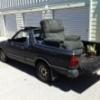
My ignition switch went out and my brat won't start.


We replaced battery terminals checked grounds and my door still dings but it doesn't even try to turn over. The ignition switch is bad it had melted the connector.


If I don't find one today I won't get to go to west coast Subaru show.


I'm in Salem. Let me know if you have one

Call or text me if its easier

You can bypass it. I rigged one to a couple interior light switches once. (heavier duty and way cheaper than automotive ones.) Just be sure your foot is on the clutch when you start it and you switch it off again as soon as the car starts.

Please sign in to comment

You will be able to leave a comment after signing in

Sign In Now

Account

Navigation

Search

Search

Configure browser push notifications

Chrome (Android)
  1. Tap the lock icon next to the address bar.
  2. Tap Permissions → Notifications.
  3. Adjust your preference.
Chrome (Desktop)
  1. Click the padlock icon in the address bar.
  2. Select Site settings.
  3. Find Notifications and adjust your preference.