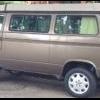
July 7, 201411 yr I swapped a 2001 Subaru legacy motor & ECU into my 1986 vanagon. The VW speedo shows wildly different speeds than the digital VSS I installed to talk to the Subaru ECU. For example, at 55 mph the Subaru ECU shows 75+ mph. What is happening now, is I run it to 80 mph (VW speedo) and it is showing about 120 mph on the OBD2 mph gauge... Then, the engine bucks wildly like it is getting fuel starvation. I'm wondering if the Subaru ECU has a limiter on speed that kicks in around 120 mph? Jason
July 8, 201411 yr Yes. Most are limited to 120mph. Can you alter the ouput of the digital unit you have?
July 8, 201411 yr Author Its an 8 pulse VSS from FastForward in Canada. I bet it is sending too many pulses, which makes the ECU think it is faster than it is really going. I'll probably have to just get a different VSS
July 8, 201411 yr Author Hi! The transmission is VW 4 speed with a fly wheel and adapter plate to make the Suby engine connect to it properly. Speed is configured like this: 1. VW speedometer cable is connected to the front tire and calculates speed based on rotations. 2. Speedometer cable goes to VW speedometer 3. Fast Forward Automotive's VSS is digital and it plugs into the back of the VW speedometer to get a signal from it. 4. The VSS sends a signal the Subaru ECU understands. It's signal is sent to Subaru ECU in back by the engine. The VSS is 8 pulse, which FFA advertises as accurate for Subaru within a few percent, but it is off by 37% @ 55 mph and now I hear Subaru likes 5 pulse VSS signals, not 8 pls, so, false advertising!? Dunno . Edited July 8, 201411 yr by coclimber
July 8, 201411 yr Author Fairtax4me - Given what you said around the Subaru ECU limiting to 120 mph, it seems like this is what is happening: When the VW speed is 80 mph, the Subaru VSS is 120 mph because it is so inaccurate. So, @ 80 mph (e.g., 120 mph to Subaru), my van violently chugs because the Subaru ECU limiter kicks in. Sounds like a computer/VSS problem and not fuel starvation from say, a bad fuel pump.
July 8, 201411 yr Ah, I see what's going on. The Subaru VSS does send an 8 pulse signal, which their unit is probably designed to replicate. Easy fix, grab a Subaru speedometer/ instrument cluster at a junkyard. The Subaru unit has a circuit that converts the 8 pulse signal from the speed sensor (pretty much all digital speed sensors create an 8 pulse signal) to the signal the Subaru ECU likes. I think its supposed to be a 4 pulse signal, but it could be 5. Either way, it will satisfy your needs, and will be cheaper than buying a corrector box or finding a sensor that delivers the correct signal. The trick may be figuring out how to keep the important parts of the speedometer unit without having the whole cluster tucked under the dash somewhere. From what I understand the wiring to the speedometer is pretty simple, but I've never had one apart so I'm not sure just how much of the cluster circuit board you'll need.
July 8, 201411 yr Author Thanks. I can just rip apart the speedo from my donor and fish around to find what I need. I kept it thankfully
July 9, 201411 yr Author Update: Looks like the vendor is sending me a 4 pls VSS. I'll install as soon as it arrives and report back.

Please sign in to comment
You will be able to leave a comment after signing in
Sign In Now