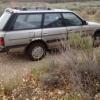
July 28, 201411 yr Forum member "Opus" has asked for some "under the hood" engine compartment photos of my 1987 GL Wagon (the "BirdMobile"). The Birdmobile had its engine completely rebuilt recently, a 2 month long process that included pulling the engine, replacing every seal, gasket, Head bolt and washer, O-ring, spring, hose, and belt. I also replaced all sensors, the water and oil pump, and completely re-did the PCV system. While I was at it, I replaced the $h!7achi carburator with a Weber, and replaced the mechanical fan with a 2nd electric fan. I also replaced the radiator, thermoswitch, and all 4 front CV and DOJ rubber boots. I went ahead and deleted the AC while I was at it, and pulled most of the engine wiring harness and re-wired it using my own waterproof connectors and cable. New Optima battery and battery cables too. All new plugs, wires, disty cap and rotor. Zip tied it all up, for that final touch of quality. Oh... I also painted the "EA82" casting identifier and all flywheel timing marks using fluorescent green fingernail polish. Yeah... I love my car! First photo, the engine compartment: Edited July 28, 201411 yr by BirdMobile
July 28, 201411 yr Author Second photo - Mechanical fan delete, belts, front of Weber, AC Delete "Pillar", and open timing belts: Edited July 28, 201411 yr by BirdMobile
July 28, 201411 yr Thanks for the pix, that's sure clean. My '86 is about that naked, now if I could make my '86 turbo look that naked!

Please sign in to comment
You will be able to leave a comment after signing in
Sign In Now