Skip to content
View in the app

A better way to browse. Learn more.

Ultimate Subaru Message Board

A full-screen app on your home screen with push notifications, badges and more.

To install this app on iOS and iPadOS
  1. Tap the Share icon in Safari
  2. Scroll the menu and tap Add to Home Screen.
  3. Tap Add in the top-right corner.
To install this app on Android
  1. Tap the 3-dot menu (⋮) in the top-right corner of the browser.
  2. Tap Add to Home screen or Install app.
  3. Confirm by tapping Install.

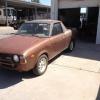
1979 Subaru Brat......my new project

Featured Replies

Found this chilling in Arizona

post-54663-0-11898600-1408537344_thumb.jpg

Edited by G14 James

You got a nice little Brat, there. I looked at it about a month ago when they listed it on craigslist. I was afraid it wouldn't pass the emissions requirement test here in Phoenix, so I didn't buy it. When I went back to look at it again, he said he had sold it to someone who was shipping it to Florida. Sorry you had to pay so much to get it shipped, It looked like a really nice little truck and will probably  clean up really nicely. Glad someone got it who will take good care of it. Don't let the rust get it in Florida, though. Cheers!

congrats! Looking forward to more photos... build...etc :)

Please sign in to comment

You will be able to leave a comment after signing in

Sign In Now

Account

Navigation

Search

Search

Configure browser push notifications

Chrome (Android)
  1. Tap the lock icon next to the address bar.
  2. Tap Permissions → Notifications.
  3. Adjust your preference.
Chrome (Desktop)
  1. Click the padlock icon in the address bar.
  2. Select Site settings.
  3. Find Notifications and adjust your preference.