Skip to content
View in the app

A better way to browse. Learn more.

Ultimate Subaru Message Board

A full-screen app on your home screen with push notifications, badges and more.

To install this app on iOS and iPadOS
  1. Tap the Share icon in Safari
  2. Scroll the menu and tap Add to Home Screen.
  3. Tap Add in the top-right corner.
To install this app on Android
  1. Tap the 3-dot menu (⋮) in the top-right corner of the browser.
  2. Tap Add to Home screen or Install app.
  3. Confirm by tapping Install.

1985 Turbo Wagon Digital dash not lighting up

Featured Replies

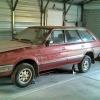
Hi; My 1984 turbo wagon has a digital dash that gauges aren't lighting up, they are just black, the clock and trip computer also are not working. The dash lights work, and the car diagram that shows doors open and 4X4 works, the ECS works and is on all the time. All of the under dash fuses are ok, and nothing looks to be unpluged. Any ideas? Can I swap out the dash for a standard analog dash? Any help would be appreciated.

Edited by Early Rider Steve

It can be swapped to analog my 83 was. I think the connectors are the same because the harness didn't look to be replaced when i got mine. It still had melted plugs from the dash fire.

Please sign in to comment

You will be able to leave a comment after signing in

Sign In Now

Account

Navigation

Search

Search

Configure browser push notifications

Chrome (Android)
  1. Tap the lock icon next to the address bar.
  2. Tap Permissions → Notifications.
  3. Adjust your preference.
Chrome (Desktop)
  1. Click the padlock icon in the address bar.
  2. Select Site settings.
  3. Find Notifications and adjust your preference.