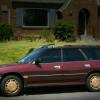
November 19, 201411 yr I found some great power/heated leather seats at a junkyard that were in a 2002 outback. I removed all the wires that were hooked up to the seats and the heater switches.Fitting the rear bench seat into the back of my 93 legacy was challenging but I finally got them in. The front seats were a direct fit, bolt wise, but I do not have any power going to my original seat area. I was wondering what I can tie into to get power and what kind of fuse or wiring apparatus to use.I have the wiring diagrams for both cars but I was hoping experienced people could give me some input Edited December 3, 201411 yr by grimaceNMike
December 3, 201411 yr Author I found this connector that i believe goes to the airbag suspension system in some the high end models, my car wasn't using it and it has ACC power only, so i used a splice connector to get my 20a fuse connected for my Heated seat power Edited May 27, 201510 yr by grimaceNMike
May 27, 201510 yr Author I found a cream interior from my generation at the junkyard and got some accent pieces to spice things up a little. Edited May 27, 201510 yr by grimaceNMike
May 27, 201510 yr Author The new seats added 51.8 lbs to my cars weight. The Drivers seat alone went from 42 lbs to 60lbs. But i am very happy with the comfort and the heated seats


Please sign in to comment
You will be able to leave a comment after signing in
Sign In Now