Skip to content
View in the app

A better way to browse. Learn more.

Ultimate Subaru Message Board

A full-screen app on your home screen with push notifications, badges and more.

To install this app on iOS and iPadOS
  1. Tap the Share icon in Safari
  2. Scroll the menu and tap Add to Home Screen.
  3. Tap Add in the top-right corner.
To install this app on Android
  1. Tap the 3-dot menu (⋮) in the top-right corner of the browser.
  2. Tap Add to Home screen or Install app.
  3. Confirm by tapping Install.

Glad to be back!

Featured Replies

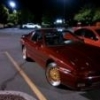
Hi all, i am glad to back as a member of the subaru community. this morning i just picked up a very clean 1984 subaru turbo coupe with 84k original miles for only.. wait for it.. 700$ from the junkyard :lol: . it had been sitting in a garage for 6 years. i beleive the engine is and EA81T. it is in amazing shape. no rust!! the gas is bad, and it will only run for five seconds and shuts off. so i will be working on draining the tank and refilling with new gas and a new filter. anyway i am glad to be back! will post picturess as soon as possible,

  • 4 weeks later...

Wow!  What a beauty--great buy.  Keep us up on your progress.

Please sign in to comment

You will be able to leave a comment after signing in

Sign In Now

Account

Navigation

Search

Search

Configure browser push notifications

Chrome (Android)
  1. Tap the lock icon next to the address bar.
  2. Tap Permissions → Notifications.
  3. Adjust your preference.
Chrome (Desktop)
  1. Click the padlock icon in the address bar.
  2. Select Site settings.
  3. Find Notifications and adjust your preference.