Skip to content
View in the app

A better way to browse. Learn more.

Ultimate Subaru Message Board

A full-screen app on your home screen with push notifications, badges and more.

To install this app on iOS and iPadOS
  1. Tap the Share icon in Safari
  2. Scroll the menu and tap Add to Home Screen.
  3. Tap Add in the top-right corner.
To install this app on Android
  1. Tap the 3-dot menu (⋮) in the top-right corner of the browser.
  2. Tap Add to Home screen or Install app.
  3. Confirm by tapping Install.

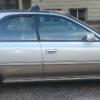
Soon to be gone '90 Legacy L 2.2L/5MT Pictures

Featured Replies

This is kind of for me.  I did like the car, just not the body style.  The 5MT is why I had to replace it as I'm having shoulder issues and driving it is just causing me pain. :(


20150412_172412_zpsrq7yz3pb.jpg

20150412_172418_zpssy1i0w9q.jpg

20150412_172425_zpsp3gucxgl.jpg

20150412_172431_zpsmukfbty4.jpg

20150412_172452_zpssgxq7lcf.jpg

20150412_172500_zpsgaqrhjpn.jpg

20150412_172526_zpsizm7tdms.jpg

20150412_172529_zpshzeetue4.jpg

20150412_172533_zpsypyk3xbm.jpg

20150412_172543_zpsxhhgvq7j.jpg

20150412_172553_zpsj4jnchjh.jpg

20150412_172556_zpsxqvdtkul.jpg

20150412_172559_zpsngaqvnxw.jpg

20150412_172602_zpsyatv5slq.jpg

20150412_172621_zpspesfrymy.jpg

20150412_172625_zpsuuq0jok2.jpg

20150412_172634_zps4php663m.jpg

20150412_172646_zpsywedfgjc.jpg


Please sign in to comment

You will be able to leave a comment after signing in

Sign In Now

Account

Navigation

Search

Search

Configure browser push notifications

Chrome (Android)
  1. Tap the lock icon next to the address bar.
  2. Tap Permissions → Notifications.
  3. Adjust your preference.
Chrome (Desktop)
  1. Click the padlock icon in the address bar.
  2. Select Site settings.
  3. Find Notifications and adjust your preference.