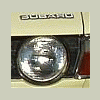
January 16, 201610 yr Author Hey folks. Just a quick update on the adventures of this little car. He seems to have the most ususual "carma" as oddly wonderful things continually happen to him. Long story short: He's in a movie. Short story long: I was approached last month by a car casting director about using my Tercel 4WD Wagon in a period piece set in the early 1980's. After we agreed on terms, they came to retrieve the car, and while at my home, spotted Boomeru, the little Subie. Well, he completely stole their attention, and essentially "All About Eve'd" the Tercel. We quickly drew up a new contract, and off went the Subaru. I'm not sure what movie or show this is, but I recognized the Director's name. Here are some recent photos, and one from set. Please enjoy, and I'll keep you posted when the little star car's acting debut is released. Hopefully this newfound fame won't all go to his head gasket! BT

Please sign in to comment
You will be able to leave a comment after signing in
Sign In Now