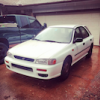
November 16, 201510 yr like to say whats up first of all, never been a member on a forum so please forgive my noobness. i recently acquired a 2000 impreza L wagon to screw around drive to school and back and beat up. but i have had so much fun with it i want to keep and give it a better life than what it had in vermont. its got 125k on the clock and is rustier than all heck, i want to take it to a shop and get it check out to see if its still safe or worth investing money into it. the only thing i could think of making this subaru 10 more badass is turboing it. i wanna keep the whole sleeper and college kid look to it. http://www.automersion.com/2015/05/turbo-your-non-turbo-subaru-ej22/ i found this article and it fits what I'm planning to do. my only question is when it comes to getting a wrx header and up pipe and crossmember what years can i get. other than that how much would it cost time and money wise or a noob like me to get this project done or would it be cheaper and better to get it done else where thanks
November 27, 201510 yr Welcome to the USMB! In my opinion you would be far better off just trying to get a WRX or at the very least swapping in a WRX motor with all the associated parts. Add on turbo kits are really quite a bit more hassle than what they're worth and the engine management is usually what gets people and just isn't up to the task. Doing a swap from a factory turbo engine is usually a much better way to go.

Please sign in to comment
You will be able to leave a comment after signing in
Sign In Now