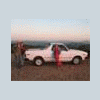
July 31, 20169 yr Hi Suba-Gurus. It's been a while and I finally found my Unicorn -- a silver 1995 Subaru legacy with only 115k miles on it For the most part in great shape, but the AC is not working. I figured, best case scenario, it just needed a recharge and that was not a show-stopper for me buying the car. So, I tried to do a normal refill, but compressor was not kicking in. Hmmmm.... looked in the main relay/fuse box under the hood and where it says there should be relays -- 4 across the top on the passenger side of the box -- there's nothing. Can anyone tell me, or even just give a good guess, as to why there would be no relays in the box? Thanks!
July 31, 20169 yr Someone removed them. Not good because three of those relays are for the radiator fans. Kinda need those.
July 31, 20169 yr Author Thanks, FairTax. I just grabbed the 4 relays off of a donor car and popped them in. AC works fine now. And I definitely can't ask the previous owner, either -- picked it from an estate sale :-) Edited July 31, 20169 yr by bendecker
July 31, 20169 yr Awesome! Gonna be a great car for a long time with that kind of mileage. Get it caught up on fluid maintenance (diff oils, antifreeze, brake fluid, etc) and some fresh filters and a timing kit. Should be good for 100k easy.

Please sign in to comment
You will be able to leave a comment after signing in
Sign In Now