Skip to content
View in the app

A better way to browse. Learn more.

Ultimate Subaru Message Board

A full-screen app on your home screen with push notifications, badges and more.

To install this app on iOS and iPadOS
  1. Tap the Share icon in Safari
  2. Scroll the menu and tap Add to Home Screen.
  3. Tap Add in the top-right corner.
To install this app on Android
  1. Tap the 3-dot menu (⋮) in the top-right corner of the browser.
  2. Tap Add to Home screen or Install app.
  3. Confirm by tapping Install.

Hello from Central Florida

Featured Replies

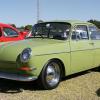
thank you for letting me join the site. i may be the odd man out, as i intend to build a couple of subaru powered VWs with a twist. one is a fiberglass buggy and the other a 63 type notchback both with custom chassis, both will be built as a mid engine set up, taking the engine transaxle and placing it in the backseat area of the vehicle thus providing good balance for power and handling. 

post-66441-0-91727500-1490450955_thumb.jpg

Welcome to the USMB.  I've always had the dream (purely armchair!) of a Subaru powered mid-engine lightweight.  Sounds like fun--keep us up on your progress.  With pix if you can!

You and kullj00, should talk

Please sign in to comment

You will be able to leave a comment after signing in

Sign In Now

Account

Navigation

Search

Search

Configure browser push notifications

Chrome (Android)
  1. Tap the lock icon next to the address bar.
  2. Tap Permissions → Notifications.
  3. Adjust your preference.
Chrome (Desktop)
  1. Click the padlock icon in the address bar.
  2. Select Site settings.
  3. Find Notifications and adjust your preference.