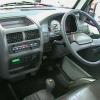
May 3, 20178 yr Hey, new to the forum here. I just purchased my first Subaru, actually pair of Subarus. I picked up a couple Subaru Sambar mini trucks from a local rancher. One has the cab wrecked and is for parts (only has about 30,000 miles on it without a title), and the second was seized up and has been sitting for over 5 years. I plan on doing quite a bit of work to the one to make it a decent trail truck and bomb around town vehicle. I did manage to un-seize the engine on the non-parts truck. It does run, but it now lets water freely flow into the oil and smokes like a grassfire. I hope it's just a head-gasket, but the former owner did drive it to the point of seizing. Luckily I have a second engine with low miles on it. We'll see how this project goes. I am quite impressed with the Subaru engineering I see in these little vehicles and hopefully I can get decent advice in this forum.

Please sign in to comment
You will be able to leave a comment after signing in
Sign In Now