December 24, 20178 yr Sorry guys, I've been on here a loooooong time (sporadically in the last few years admittedly), but I'm old now and getting a little soft in the head. Did Subaru ever sell a naturally aspirated 4wd ea81 coupe in the US, or were all of the 4wd models turbocharged? Thank you.
December 24, 20178 yr Sorry guys, I've been on here a loooooong time (sporadically in the last few years admittedly), but I'm old now and getting a little soft in the head. Did Subaru ever sell a naturally aspirated 4wd ea81 coupe in the US, or were all of the 4wd models turbocharged? Thank you. There were 4wd turbo coupes and sedans made in 83 and 84. But not any non-turbo 4wd coupes. There was a Non-turbo (carbed), 4wd (3AT) sedan produced in 1984 only. I own one.
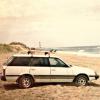
December 24, 20178 yr Author There were 4wd turbo coupes and sedans made in 83 and 84. But not any non-turbo 4wd coupes. There was a Non-turbo (carbed), 4wd (3AT) sedan produced in 1984 only. I own one. Thanks man. I'd love to see pics of your sedan. A good friend had a beige one in High School that she used to drive me around in. Always liked the lines. Nice looking car too

Please sign in to comment
You will be able to leave a comment after signing in
Sign In Now