Skip to content
View in the app

A better way to browse. Learn more.

Ultimate Subaru Message Board

A full-screen app on your home screen with push notifications, badges and more.

To install this app on iOS and iPadOS
  1. Tap the Share icon in Safari
  2. Scroll the menu and tap Add to Home Screen.
  3. Tap Add in the top-right corner.
To install this app on Android
  1. Tap the 3-dot menu (⋮) in the top-right corner of the browser.
  2. Tap Add to Home screen or Install app.
  3. Confirm by tapping Install.

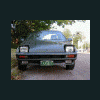
Pics of the 91 legacy W/paint

Featured Replies

work you put into it. Howabout a red pinstripe? They sell pinstipe kits at most auto stores and it is pretty easy to do the plastic ones. You just pin down one end and pull it straight before you lay down the other end and trim with a single edge razor blade.

  • Author

Yeah my wife and I did the work on it. She says no to the pinstipe and its her car. So I guess it will stay this way. We'll be able to buff it out next weekend.


Joe

You've been outvoted. I have been married 20 years so I know. I bought two green cars and wanted to do my garage trim in dark green but got outvoted the same way.

Please sign in to comment

You will be able to leave a comment after signing in

Sign In Now

Account

Navigation

Search

Search

Configure browser push notifications

Chrome (Android)
  1. Tap the lock icon next to the address bar.
  2. Tap Permissions → Notifications.
  3. Adjust your preference.
Chrome (Desktop)
  1. Click the padlock icon in the address bar.
  2. Select Site settings.
  3. Find Notifications and adjust your preference.