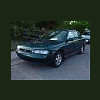
February 21, 200620 yr my twin brother got a 93 five speed loyale wagon for free and i got to get it running for a demo derby car we tried jumping starting with no luck it just rolls over easy but not very fast? i will throw new plugs in it to see if it will start , and maybe it wont start because of old gas. any other things i should do or try? 95 legacy awd 5 speed twin brother, 91 legacy 2wd derby cars 91 loyale wagon auto 93 loyale wagon 5speed
February 21, 200620 yr Author any ideas that i should try anthing at all, and any ideas how they would hold up in a demo derby?
February 21, 200620 yr look in the second section of the EA82 FSM at this site (warning, it is big): http://www.finleyweb.net/default.asp?id=142 your car is a SPFI car, and the troubleshooting info in the FSM should give you all the info you need to know, it even has troubleshooting tables first check gas for delivery, and that it is decent stuff - T-belts may be broken, not hard to install, and as it is a non-interference engine, nothing gets damaged when they break - the belts themselves tend to be pretty cheap too - they have a funky install proceedure, I think it is in the repair manual section of this website, and in the FSM these are robust little cars, and it should do fine with whatever you throw at it, especially if it is 4WD

Please sign in to comment
You will be able to leave a comment after signing in
Sign In Now