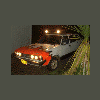
March 3, 200620 yr here are a couple pics of my car, well actually we were just getting the flames that were sprayed on by a co-owner(a friend of mine). Dont worry they're only temporary, and werent intended on looking fantastic, just kind of sprayed on with the "eh, what the hell" mentality. we plan on actually painting it this summer!
March 3, 200620 yr Author for other people it makes it look like it's faster when I drive by:P ok maybe not..... yellow flames out of the vent could be pretty sweet. the ble/yellow color combo isnt one that's seen that often so it'll definitly stand out!
March 7, 200620 yr Author More pics! we installed a lightbar with a couple of $10 walmart light on it. Doesnt look too bad, I dont think, especially since the bar was made out of the roof rack!:cool: (that seat cover is going to come off when I get something to replace it.. it's actually got 2 seat covers on it, I have no idea why, but the seat is badly torn up)
March 20, 200620 yr to be honest....i'd gladly give up the comforts of my 94 legacy for something like your 1600.(well only if it's in perfect condition) :-p i definatly have a place in my heart for the old school soobs

Please sign in to comment
You will be able to leave a comment after signing in
Sign In Now