Skip to content
View in the app

A better way to browse. Learn more.

Ultimate Subaru Message Board

A full-screen app on your home screen with push notifications, badges and more.

To install this app on iOS and iPadOS
  1. Tap the Share icon in Safari
  2. Scroll the menu and tap Add to Home Screen.
  3. Tap Add in the top-right corner.
To install this app on Android
  1. Tap the 3-dot menu (⋮) in the top-right corner of the browser.
  2. Tap Add to Home screen or Install app.
  3. Confirm by tapping Install.

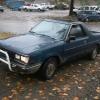
84 brat got a new engine...

Featured Replies

I just did an engine swap on my 84 brat, went from an ea81 hydrolic lifter to a none hydrolic lifter moter... the hydrolic lifter moter has 360k miles, no compression left. New moter runs real smooth. Unfortunataly it's only got 2 out of 4 exahust studs... other 2 are stripped. I was kind of disapointed. I need to figure out how to fix that problem.


Anyway, I'll post pics of it later. The new engine, came from Austin, so, needless to say, it's a little colorful. :grin:


OH, and my transmission still whines in 4th gear... DOH!

Please sign in to comment

You will be able to leave a comment after signing in

Sign In Now

Account

Navigation

Search

Search

Configure browser push notifications

Chrome (Android)
  1. Tap the lock icon next to the address bar.
  2. Tap Permissions → Notifications.
  3. Adjust your preference.
Chrome (Desktop)
  1. Click the padlock icon in the address bar.
  2. Select Site settings.
  3. Find Notifications and adjust your preference.