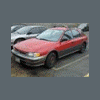
April 4, 200619 yr Hi everyone, Long story short... We bought a gl wagon with intentions of replacing the engine in order to learn about the car, but my father in law wants it out of his shop now and started doing it all himself . I am trying to rent a truck and dolly but aparently uhaul is not allowing rental of both at same time :-\ . Anyway, I thought I would throw out here to see if anyone with a truck and trailer would be willing and able to help me move the car and engine(s) from his place to mine (about 10 miles)? I am looking to do this tomorrow around 4 and could throw in a little cash for the trouble? Thanks
April 4, 200619 yr I could help, But I dont have a dolly trailer and work wed at 4.= ( Im off thursday if I can do anything for you...Im just up the road. The toyota truck has a hitch, and I'd be more then willing to help you out if you find a dolly....Or if you need help any other way. Thanks Erik
April 4, 200619 yr Author Erik, I might take you up on the offer, I will let you know if I cant figure anything else out.
April 4, 200619 yr Tow strap from Autozone ~15 bucks and a heavy car or a truck will pull it that distance without an issue.
April 6, 200619 yr Author Thanks for the offers everyone, I got something figured out and didnt need the help after all. I appreciate everything though!

Please sign in to comment
You will be able to leave a comment after signing in
Sign In Now