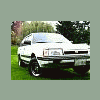
May 20, 200619 yr Well awesome for me anyways. So i dont know if you guys remeber me saying that i have a new import engine with new exhaust and blah blah blah. but i was only getting 17-19 mpg! Which i can not afford due to gas prices. so i replaced my plug wires and fuel filter and air filter and spark plugs, cap, rotor. basically full tune up. still only averaged 19-21mpg so i knew my brakes were bad, but i had no idea just how bad! had to get new rotors new caliper hard wear and pads, plus my rear break lines were filled with dirt. from all the fun. so after all of that. i am now happily saying i am getting 27mpg! yyyyyyyyaaaaaaaayyyyyyyy! that is realy good for me since i have never owned a car that gets better then 20mpg. i did not know brakes could effect your cars gas millage that much! but it did to mine. So if your getting bad gas millage then check your brakes! up next a weber carb.

Please sign in to comment
You will be able to leave a comment after signing in
Sign In Now