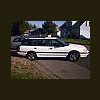
August 31, 200619 yr well i am now the proud owner of the 88 gl10 that was posted on craigs list...gave the guy $5.00 for it...he rear ended a toyota tundra and banged up the front pretty good but it is all fixable.....heres to subie project 2:drunk: :drunk: http://www.ultimatesubaru.org/photos/showgallery.php?cat=500&ppuser=18606
September 1, 200619 yr coolness, good luck on the project. i hate the digidash, BTW, i have an 87 gl10 with the same unit. I have been told not to trust the temperature gauge too much, its prone to false readings caused by amperage draws on the lelectrical system.
September 1, 200619 yr Author that's alright about the temp gauge, i was going to stuff a real one in it anyway
September 2, 200619 yr i started thinking about it more.. and i was wondering what "normal" operating temperature appears to be on your gauge? i dont know how much i can or cant trust mine, but id like to know which bar yours normally runs at. there are a total of ten, and i count up from number 1 at the bottom.. so number 9 and 10 are the red ones...

Please sign in to comment
You will be able to leave a comment after signing in
Sign In Now