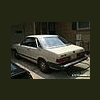
November 16, 200322 yr Amazingly, there exists a junkyard in northern Alabama which contains a small cachet of Subies. Almost all of them are EA81's. One beige '80-'81 4WD wagon, a blue '83-84ish Hatch, a beige '81 BRAT, and a grey '82-'84 wagon. There's a Justy, too. I know the beige wagon is a stick, and the Hatch and BRAT are automatics. Anyone in the area looking for EA81 bits? Dibs on the BRAT's window crank, and the 4WD wagon's driveline. Mebbe the 3rd eye, too. The GLF's getting some toys. Edit: Supposedly, there's a junkyard in southern Alabama between Birmingham and Wetumpka that has a huge stash of Subies as well. More info to follow, as I can dig it up.
November 16, 200322 yr There's a junkyard near Spanish Fork, Utah, that has more than a dozen EA82s, and about half of those are turbo. I've gone there quite a few times to grab parts for my '88 wagon. Of course, both of my Subarus are dead and soon-to-be parted out, so I'll have no shortage of parts for when I replace them with yet another one.
November 16, 200322 yr Spanish Fork, I know where that is. Know where Price is too :-) I'll have to check that yard out when I am down there for Christmas :-)
November 16, 200322 yr yep gotta check it out while we're down there Andrew...maybe they have some gen 1's if I'm lucky:D

Please sign in to comment
You will be able to leave a comment after signing in
Sign In Now