Skip to content
View in the app

A better way to browse. Learn more.

Ultimate Subaru Message Board

A full-screen app on your home screen with push notifications, badges and more.

To install this app on iOS and iPadOS
  1. Tap the Share icon in Safari
  2. Scroll the menu and tap Add to Home Screen.
  3. Tap Add in the top-right corner.
To install this app on Android
  1. Tap the 3-dot menu (⋮) in the top-right corner of the browser.
  2. Tap Add to Home screen or Install app.
  3. Confirm by tapping Install.

New Member

Featured Replies

Hi,

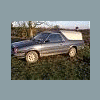
I'm Neil, im from England and although I havn't personally got A Subaru, I am a big fan of them and they have always been a part of my life. I am only 15 so i cant drive on the public roads yet, but i am looking for a Subaru Mv so if anyone has a cheap one please let me know. Both My Mum and Dad have got a Subaru. My mum has got a 1999 Subaru Legacy(family car), and my Dad has got a 1993 Subaru Mv which he uses for work and offroad in the winter whe nwe go hunting. Pics of these two cars will follow


http://img512.imageshack.us/my.php?image=32rw4.jpg

http://img401.imageshack.us/my.php?image=picture048bv3.jpg

Please sign in to comment

You will be able to leave a comment after signing in

Sign In Now

Account

Navigation

Search

Search

Configure browser push notifications

Chrome (Android)
  1. Tap the lock icon next to the address bar.
  2. Tap Permissions → Notifications.
  3. Adjust your preference.
Chrome (Desktop)
  1. Click the padlock icon in the address bar.
  2. Select Site settings.
  3. Find Notifications and adjust your preference.