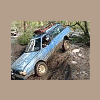
October 3, 200718 yr Had a blast with Team CF and even got my father in laws lifted landcruiser stuck I have pics will post them soon. Been thinking of starting a offroad group over here for us. If anyone is intrested P.M. me. I just picked up a wagon for wheeling and aint afraid of using it.
October 3, 200718 yr Author Also I forgot but I am going down to sublimity on saturday morning to see some gold mines if anyone is intrested? holla at me.
October 3, 200718 yr That was good times. Even the stuck part was all good in the end. Nice and muddy. And I got to have the water go over my hood again and not stall it! I'll have to get ya a disc so I can get a copy of the vids and pics. Wish I was gonna be in town this weekend I'd like to see some old mines. Always next weekend.

Please sign in to comment
You will be able to leave a comment after signing in
Sign In Now