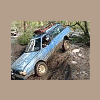
December 28, 200718 yr Nice. That lift looks good. I got some extra cash for christmas. Would love to lift mine but I have to use it for a new exhaust first, no cat and lots of leaks, cracked pipes everywhere. I'll prolly just have them do a full cat back type setup, I'm sure that my muffler is clogged up with chunks of the cat guts. (pass side front axle and bearings would be nice as well.) Or else I'll be parking my sube in feb cause of DEQ. (if a new cat will be enough to pass)
December 28, 200718 yr Author Hey that sucks I was hoping in a couple of weeks to actually go out again
December 30, 200718 yr Should be fine in a couple weeks. feb 1st is my cutoff for my plates expiring. Hoping a cat will be enough. If not then it's gonna have to sit for awhile.

Please sign in to comment
You will be able to leave a comment after signing in
Sign In Now