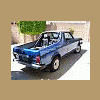
March 18, 200818 yr Hey Everyone, Well my '79 BRAT is in need of a new clutch, and I am going to do the job this Saturday MAR 22nd, 2008. Fellow BRAT owner and board member S'KO (a.k.a. Bosco) is going to come over to lend a hand. If you've got nothing better to do this Saturday, and you want to get together with some soob people, or perhaps you're an expert at this sort of job, please come on over!! I live in Redondo Beach. If you want to come PM me and I will give you exact directions and my phone number. We're going to get started around 9am and we are planning on being busy more or less until 3pm. For anyone that comes, we are going to have bagels for breakfast and something good for lunch, general refreshments, and if like beer there will be plenty of my homebrew to go around. This batch is good too! Enough incentive for you? It'd be great to meet some of you guys in person. Hope you can make it. Cheers, Crabman

Please sign in to comment
You will be able to leave a comment after signing in
Sign In Now