July 18, 200817 yr gonna be buyin one soon with a bad disty. what disty will fit in it? i THINK its the 1.6 but not positive or not even sure how to tell the engine size. thanks Spokanesoob
July 20, 200817 yr well i own a 94 corolla, first thing i would check is what trim it is, base model = 4afe= 1.6 dx had both 4afe=1.6, and 7afe=1.8 motor le had 7afe= 1.8 look on the sticker on the hood that shows like the timing and all that jazz and look for the motor family, i may be wrong with this but high on the passenger side of the firewall there is a stamp that says ae 101 or 102, ae101= 4afe=1.6 ae102=7afe=1.8 other that that im not sure how to tell lol
July 20, 200817 yr Author the hood is all messed up it got blown off cuz the latch is broken so its a junkyard hood with nothing on it i will check the sticker on the firewall but no idea what distys will work in it?
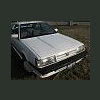
July 24, 200817 yr the ae 101 or 102 is stamped on the firewall it isnt a sticker. I think the disty is engine specific. but then again i checked on ebay and they seem to think the same disty works for both 1.6 and 1.8 motors. how about some specifics on your car? automatic 3 speed or 4 speed? trim level?

Please sign in to comment
You will be able to leave a comment after signing in
Sign In Now