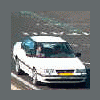
January 6, 200422 yr After receiving a surprise email from Will that he would spend the holidays in Europe, we had some email messages going round and Will invited me to meet him and his girl friend Nina in Dinslaken, Germany, for some good old fun go-karting. Will made me bring my white Legacy 'race car' and we took some pictures. The go-karting really was a blast and obviously, it wasn't hard to find a subject for conversation: Subaru! All in all very nice to finally meet someone from this board (although I haven't been as active as I used to be) and I'm sure we'll meet again when you return to Germany in the summer, Will! (at least to show you a lap around the famous Nordschleife) BR
January 6, 200422 yr Hello Marnix! Count me in on the Nurburgring!! Went for the first time ever, last summer. I plan on returning
January 7, 200422 yr Author I try to limit going there to once a month, . Drop me a line when you're going again.
January 10, 200422 yr hehe, finally someone from europe,... ... i'm planning to visit germany and austria when the borders will open,....... i live in poland,........ so maby we can meet some time in summer?????/,........ need to get some things for my wagon,...... any way, take care guys :cool:

Please sign in to comment
You will be able to leave a comment after signing in
Sign In Now