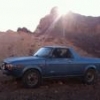
August 11, 200916 yr I can't wait to go for a ride I'll be back to Idaho to get my other ride in a week then go to my next project in Southern California great "wheeling" in the high desert. Oh heres a pic of Cricket http://s564.photobucket.com/albums/ss90/68boomer/?action=view¤t=Idaho10-13-08033.jpg
August 11, 200916 yr I can't wait to go for a ride I'll be back to Idaho to get my other ride in a week then go to my next project in Southern California great "wheeling" in the high desert. Oh heres a pic of Cricket http://s564.photobucket.com/albums/ss90/68boomer/?action=view¤t=Idaho10-13-08033.jpg I hunt on the Salmon, out near Challis. I love that area man, its so nice. I want to live there when Im all grow'd up. -Jaren
August 12, 200916 yr Author I want to live there when Im all grow'd up. -Jaren I love it to i work in every state but the one I live in!:-\ But when vacation comes around I can't get there fast enough. the humbug about this trip is I get enough time to gather my horses and load the fifth wheel and go to Cali. But thank God I am still working alot of our brothers are not so fortunate.

Please sign in to comment
You will be able to leave a comment after signing in
Sign In Now