Skip to content
View in the app

A better way to browse. Learn more.

Ultimate Subaru Message Board

A full-screen app on your home screen with push notifications, badges and more.

To install this app on iOS and iPadOS
  1. Tap the Share icon in Safari
  2. Scroll the menu and tap Add to Home Screen.
  3. Tap Add in the top-right corner.
To install this app on Android
  1. Tap the 3-dot menu (⋮) in the top-right corner of the browser.
  2. Tap Add to Home screen or Install app.
  3. Confirm by tapping Install.

james32

Members
  • Joined

  • Last visited

Everything posted by james32

  1. My friend, the volvo owner, put me up to it. I can't take all the abuse so I performed a bit of surgery today and successfully removed the tumor. I think she'll live.
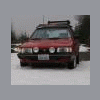
  2. My 85' gl wagon has been sitting since july due to a spun bearing. Thanks to a free short block, she is back on the road just in time for some snow, hopefully!:banana: It has been my daily driver for about 10 years.
Account

Navigation

Search

Search

Configure browser push notifications

Chrome (Android)
  1. Tap the lock icon next to the address bar.
  2. Tap Permissions → Notifications.
  3. Adjust your preference.
Chrome (Desktop)
  1. Click the padlock icon in the address bar.
  2. Select Site settings.
  3. Find Notifications and adjust your preference.