subarulover
Members
-
Joined
-
Last visited
Everything posted by subarulover
-
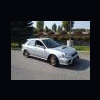
Do you have any pics you can post of your car? When my car was first stolen someone called about my ad on craigslist and told me to check out at northern quest since a lot of stolen cars are being left there. I didn't think mine would be there but what do you know it ended up being found there 2 weeks later.
-
:eek:HA HA I just realized I'm retarded. Sorry I spelt your name wrong baccaruda. I kind of just looked at your name quickly and thought it said barracuda. Thank you so much Baccaruda.
-
I just wanted everyone to know that my car was found today out at northern quest casino. There was nothing wrong with it and it was left exactly how I had it, the seats weren't move and neither were the mirrors. Thank you barracuda for first posting about my car on here. :clap:
-
I posted a new add on craigslist for the stolen subaru. This is the new link http://spokane.craigslist.org/cto/992888613.html