Skip to content
View in the app

A better way to browse. Learn more.

Ultimate Subaru Message Board

A full-screen app on your home screen with push notifications, badges and more.

To install this app on iOS and iPadOS
  1. Tap the Share icon in Safari
  2. Scroll the menu and tap Add to Home Screen.
  3. Tap Add in the top-right corner.
To install this app on Android
  1. Tap the 3-dot menu (⋮) in the top-right corner of the browser.
  2. Tap Add to Home screen or Install app.
  3. Confirm by tapping Install.

kiljoi

Members
  • Joined

  • Last visited

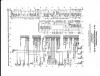
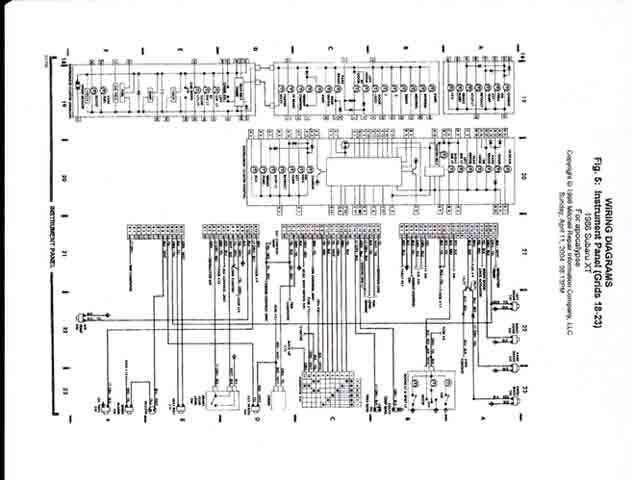
  1. I just aquired a copy of the Mitchel repair manual CD. Thought this wiring diagram would help the cause. Its a full diagram of an 86 XT Instrument Panel. Both digital and analog are shown. The attached pic is the largest allowed by the forum, but it gives an idea of what it is. I can e-mail the full 400 res. version to anyone that is interested. (better if you have a cable modem though )
  2. Dr. RX, have you made any advances in your dash conversion research? smotocon1, I have a 86 XT-T 4x4 with the irritating digital dash. I am thinking of using aftermarket gauges hooked up to the factory wires instead of converting to a factory analog dash.
Account

Navigation

Search

Search

Configure browser push notifications

Chrome (Android)
  1. Tap the lock icon next to the address bar.
  2. Tap Permissions → Notifications.
  3. Adjust your preference.
Chrome (Desktop)
  1. Click the padlock icon in the address bar.
  2. Select Site settings.
  3. Find Notifications and adjust your preference.